
Social media MCP server
Schedule social media posts from ChatGPT, Claude and Codex
Connect oriiion to your AI assistant once. Then ask it to write a week of posts, pick the best times and put them on your calendar. They go out to Instagram, Facebook, LinkedIn, TikTok, YouTube and every other network you've connected, without you opening another app.
Included in every oriiion plan. Set up in about two minutes.
Works with
- ChatGPT
- Claude
- Claude Code
- Codex
- Cursor
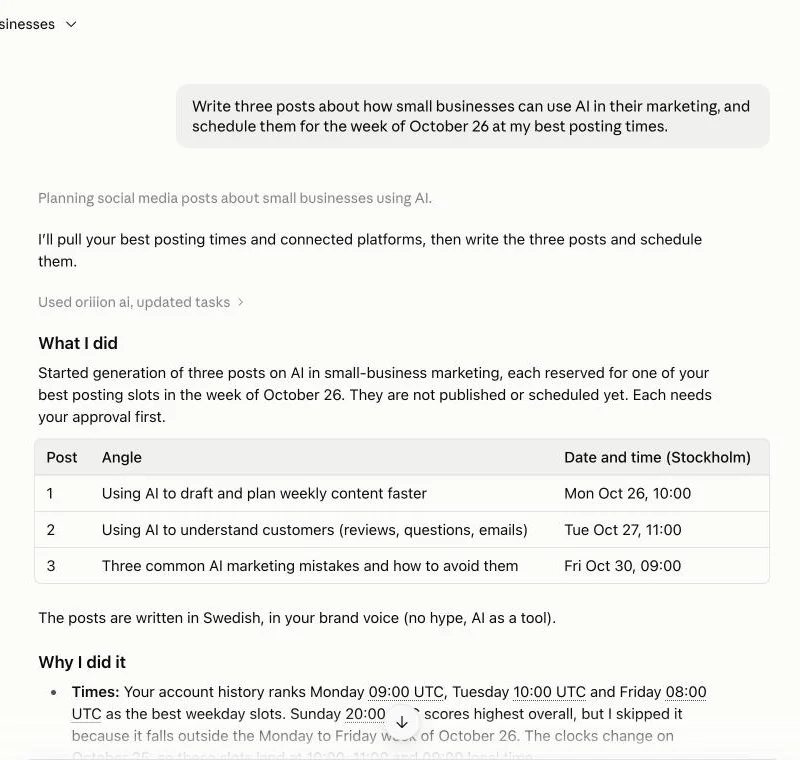
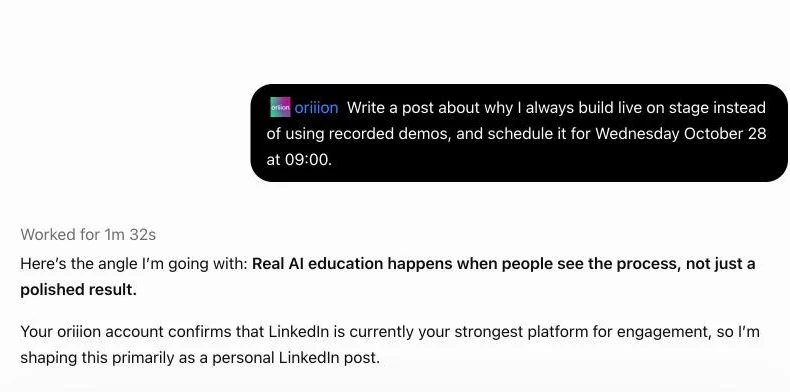
Real chats. On this account every post waits for approval before it goes out.
Real chats, real calendar
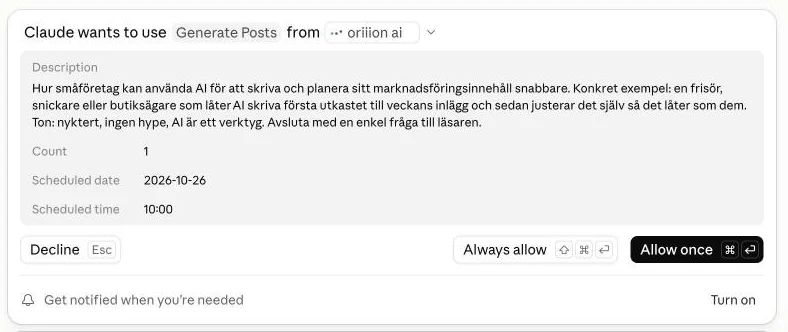
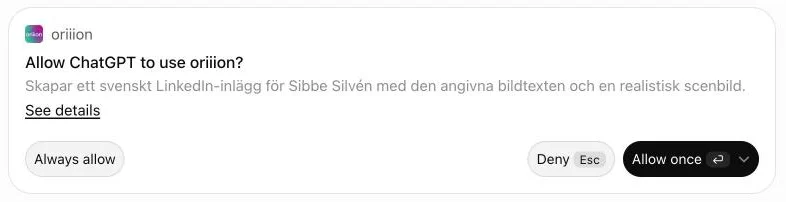
Your assistant asks first. Then it lands on your calendar.
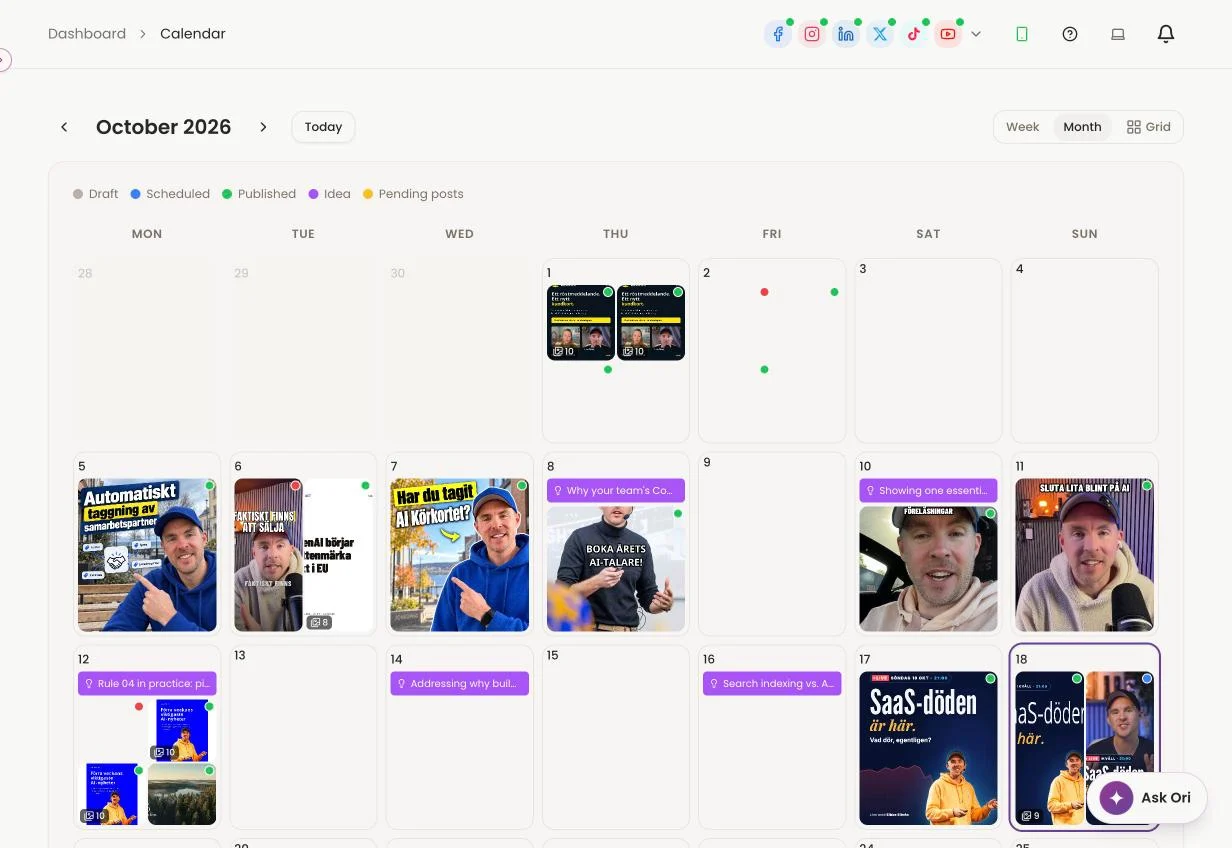
Claude and ChatGPT show you exactly what they're about to do in oriiion and wait for your go-ahead. What you approve shows up in your oriiion calendar, next to everything else you've planned.
How it works
From one sentence to a full calendar
- 01
Connect once
Add oriiion as a connector in ChatGPT or Claude and sign in. In Claude Code, Codex or Cursor it is one line of config. No code, no API to learn.
- 02
Ask like you'd ask a colleague
Type it or say it out loud. Your assistant writes the posts in your brand voice, picks the images and works out when your audience is online.
- 03
It lands on your calendar
Every post shows up in your oriiion calendar. Scheduled posts publish themselves at the time you agreed on. Drafts wait for your yes.
Where your posts go
One conversation. Every network you use.
Connect your accounts in oriiion once. After that your assistant never needs a password. Pick every network, or only the ones you name, like only TikTok or LinkedIn and Instagram.
Each network gets its own version
- Instagram photo tags and collaborators
- LinkedIn mentions that link to real profiles
- A first comment for your hashtags or link
- An Instagram story only, or a trial reel, when you ask for one
- InstagramPosts, Reels, stories
- FacebookPages, stories
- LinkedInPosts, documents
- TikTokVideos
- YouTubeShorts and videos
- ThreadsPosts
- PinterestPins
- BlueskyPosts
- Plus Snapchat, Telegram and Discord
Just ask
Say it the way you'd say it to a colleague
- "Fill next week with five posts about our new opening hours and schedule them at our best times."
- "Schedule this product photo for Friday at 9:00, only on Instagram and LinkedIn."
- "What's going out this week? Move Thursday's post to Saturday morning."
- "Post this video to TikTok only, tomorrow at 18:00."
- "Share today's offer as an Instagram story, not in the feed."
- "Publish this reel as a trial reel so non-followers see it first."
More than a scheduler
The same connection runs the rest of your social media
Social posting & scheduling
Plan, write and publish a month of posts, with captions tuned for every network.
Explore schedulingDM automation
Someone comments a keyword, they get your link in a DM. Day and night, on Instagram and Facebook.
Explore DM automationComment replies
Every unanswered comment from Instagram, LinkedIn and Facebook in one list, with a reply drafted in your voice.
Explore comment repliesYou stay in charge
Your assistant does the work. You keep the final say.
Drafts first
New posts are saved as drafts. Nothing publishes until you ask for it or agree on a time.
Only your accounts
The assistant reaches your own posts and the networks you connected. Nothing else.
Disconnect in one click
Revoke any AI app or API key on the API access page. It stops working immediately.
Money always asks first
Anything that costs money, like boosting a post, states the budget and waits for your yes.
Setup
Connected in two minutes
Pick the tool you already use. ChatGPT and Claude sign in with your oriiion account, so you never handle a key.
ChatGPT and Claude
No API key- Open Settings, then Connectors (Apps & Connectors in ChatGPT).
- Add a custom connector named oriiion with the URL below.
- Sign in to oriiion and approve. That's it.
https://www.oriiion.ai/mcpChatGPT needs developer mode for custom connectors (Plus, Pro, Business or Enterprise).
Claude Code, Codex and Cursor
API keyCreate a key on the API access page in oriiion, then add one line. For Claude Code:
claude mcp add --transport http oriiion \
  https://www.oriiion.ai/mcp \
  --header "X-API-Key: YOUR_API_KEY"
Codex and Cursor take the same URL and header in their config file.
FAQ
Scheduling from your AI assistant, answered
What is a social media MCP server?
MCP (Model Context Protocol) is the open standard AI assistants use to work with other apps. oriiion's MCP server gives ChatGPT, Claude, Codex and other MCP clients the tools to write, schedule and publish posts in your oriiion account.
Can ChatGPT schedule Instagram posts?
Yes. Once oriiion is connected, ask ChatGPT to write and schedule a post and it lands on your oriiion calendar. It publishes to Instagram at the time you agreed on, along with any other networks you chose.
Can I choose which networks a post goes to?
Yes. Say every network, or name them: only TikTok, only LinkedIn, or LinkedIn and Instagram. Your assistant checks that each one is connected and tells you right away if one can't take the post.
Do I need to know how to code?
No. In ChatGPT and Claude you paste one URL and sign in. Claude Code, Codex and Cursor take one line of configuration.
Does it cost extra?
No. The MCP connection is included in your oriiion subscription and uses the same allowance as the dashboard.
Will my assistant publish without asking me?
No. New posts are saved as drafts. They publish only when you ask, or at a time you've agreed on.
Your next week of posts is one message away
Create your oriiion account, connect your assistant and ask for your first week.