
Social posting & scheduling
Social media scheduling that writes the posts too
Plan a month of posts for Instagram, Facebook, LinkedIn, TikTok and more in one sitting. oriiion writes them in your brand voice, makes the images, finds your best times and publishes on schedule.
How it works
A month of posts in one sitting
- 01
Tell oriiion what's going on
An offer, a new product, an opening, a story from the week. Or nothing at all, and oriiion finds the angle from your business and your industry's news.
- 02
Look over the week
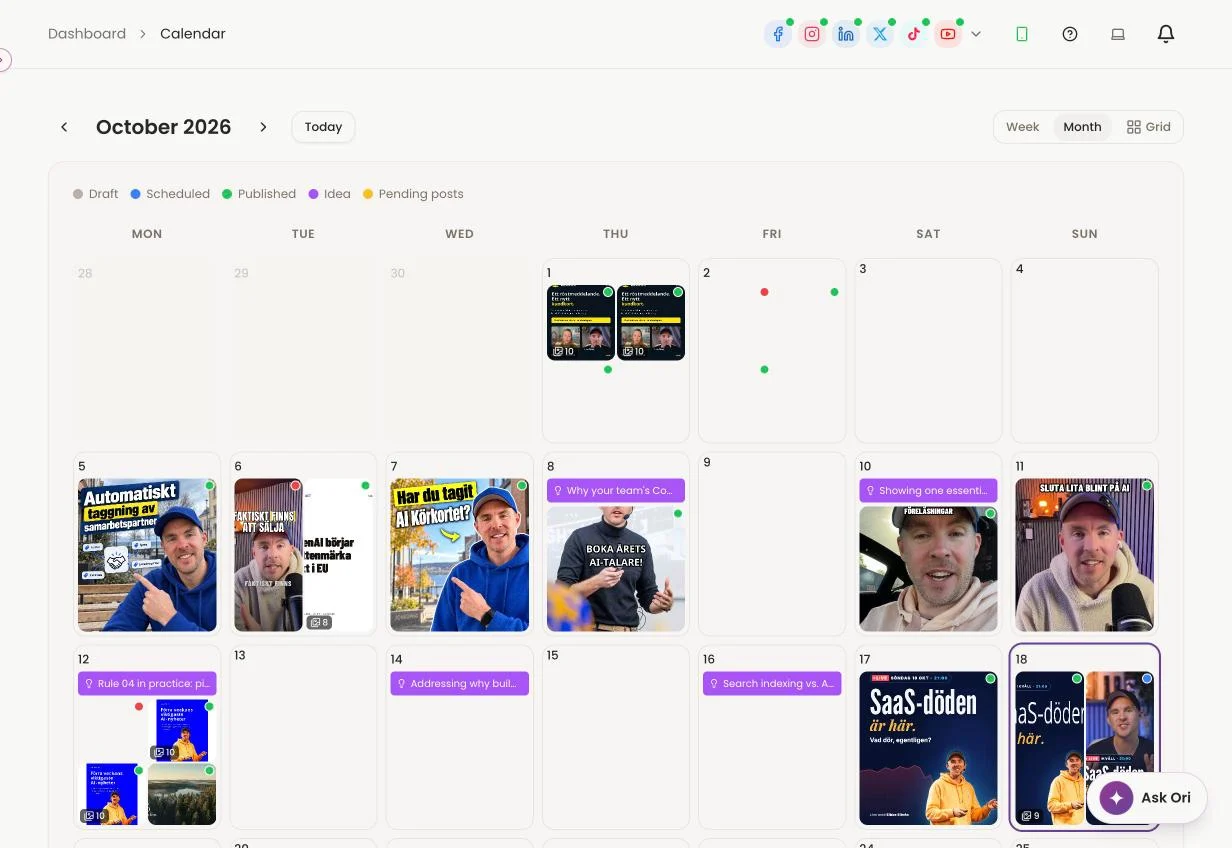
Every post waits on your calendar with its image and caption. Change the text, or describe the picture you want instead and oriiion makes it again.
- 03
It goes out on time
At your best times, to every network you chose. You get on with your day.
What's included
Everything a busy owner needs to post every week
A caption for every network
Instagram tags and collaborators, LinkedIn mentions, and a first comment for your hashtags or link. Each network gets the version that fits it.
Your best times, worked out
oriiion looks at when your followers are actually online and schedules there, instead of at a time someone guessed.
Carousels, Reels and documents
Turn photos into a carousel, a PDF into a swipeable LinkedIn document, or a product into a short video.
Stories and trial reels
Post to Instagram as a story only, or as a trial reel that non-followers see first, when that fits the post better.
Approval when you need it
Share a review link so a colleague or a client can approve a post before it goes out.
On your phone too
See and change the week in the oriiion app for iPhone and Android.
From your AI assistant
Or plan it all from ChatGPT, Claude or Codex
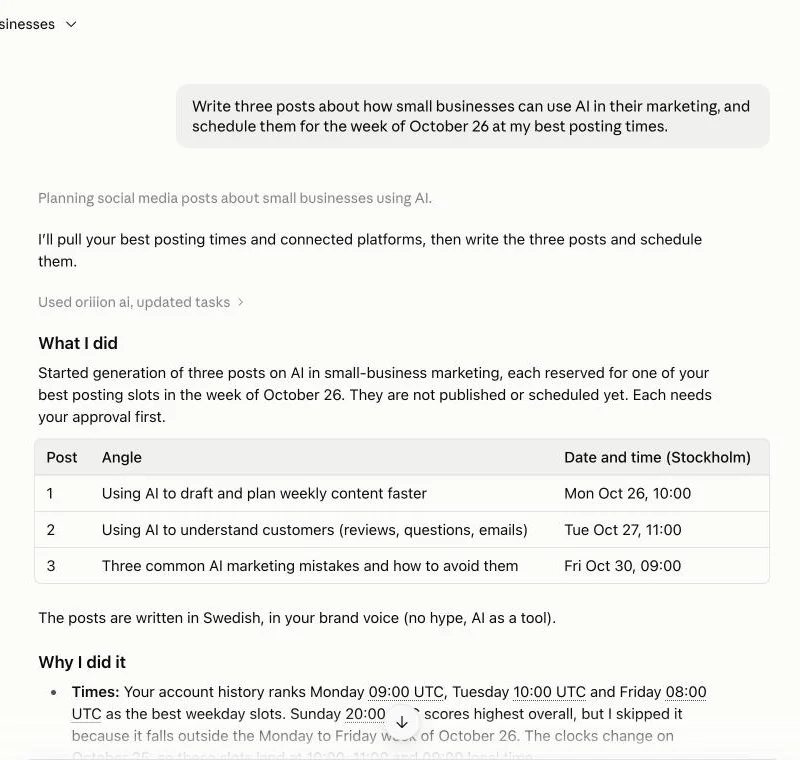
Connect oriiion to the assistant you already use and schedule your week without leaving the chat. Pick every network, or only the ones you name.
You stay in charge
Nothing goes out that you haven't seen
Drafts until you say so
New posts start as drafts. They publish only when you approve them or agree on a time.
Move anything, any time
Drag a post to another day, or ask your assistant to move it. Scheduled is never set in stone.
Pause an account
Switch publishing off for one account and its posts wait, while the rest carry on.
FAQ
Scheduling questions
Which networks can oriiion publish to?
Instagram, Facebook, LinkedIn, TikTok, YouTube, Threads, Pinterest, Bluesky, Snapchat, Telegram and Discord, depending on which accounts you connect.
Can I post my own photos and videos?
Yes. Upload a photo or a video and oriiion writes the caption for each network, or write it yourself.
Can someone approve posts before they're published?
Yes. Share a review link and the post waits until it's approved.
Can I schedule from ChatGPT or Claude?
Yes. Connect oriiion to your AI assistant and ask it to write and schedule posts. They land on the same calendar.
Plan next week before lunch
Create your oriiion account, connect your networks and get your first week drafted.